

Hey there! I'm a supplier of Check Out Kiosks, and today I want to dig into an interesting question: Do Check Out Kiosks work in different lighting conditions?
You know, when it comes to setting up self - service kiosks, lighting is often overlooked. But it's a crucial factor that can significantly impact the performance and user experience of these machines. Let's take a closer look at how different lighting scenarios can affect our Self Service Kiosk.
Bright Indoor Lighting
First off, bright indoor lighting is a common scenario in places like supermarkets, malls, and large retail stores. In well - lit indoor environments, the display of the Check Out Kiosk usually performs pretty well. The high - contrast and clear images on the screen are easily visible, allowing customers to quickly navigate through the checkout process.
The touch - screen functionality also benefits from good lighting. Customers can clearly see where to tap, reducing the chances of misclicks. However, there can be a downside. Sometimes, the bright light can cause glare on the screen. This glare can make it difficult for users to read the text or view the images accurately, especially if the kiosk is placed near a window or under direct artificial light sources.
To combat this, we've incorporated anti - glare coatings on the screens of our Self Service Kiosk Machine. These coatings help to reduce the reflection of light, ensuring that the screen remains visible even in the brightest of indoor settings. We've also optimized the screen's brightness and contrast settings, so that it can automatically adjust to the surrounding light levels.
Dim Indoor Lighting
On the other hand, dim indoor lighting can also present its own set of challenges. In places like movie theaters, some small shops, or late - night convenience stores, the lighting might be intentionally kept low for ambiance or energy - saving purposes.
In these conditions, the first thing to consider is the visibility of the screen. Our kiosks are designed with adjustable brightness settings. When the ambient light is low, the screen can be set to a higher brightness level to ensure that it stands out. This way, customers can still easily read the instructions and complete their transactions.
Another aspect is the user's ability to interact with the touch - screen. In dim light, it can be a bit harder for users to precisely locate the buttons on the screen. To address this, we've made the touch - screen more responsive and added tactile feedback. When a user taps a button, they can feel a slight vibration, which helps them confirm that their action has been registered.
Outdoor Lighting
Outdoor environments bring a whole new set of lighting challenges. The lighting outdoors can vary greatly depending on the time of day, weather conditions, and geographical location.
During the day, direct sunlight can be extremely intense. The screen of the kiosk needs to be highly visible in this bright light. Our kiosks are equipped with high - brightness displays that can reach up to 1000 nits or more. This high brightness allows the screen to be clearly visible even in direct sunlight.
But sunlight isn't always constant. Cloudy days can reduce the intensity of the light, and the kiosk needs to adapt accordingly. That's why our kiosks have light sensors that can detect the ambient light levels and adjust the screen brightness automatically.
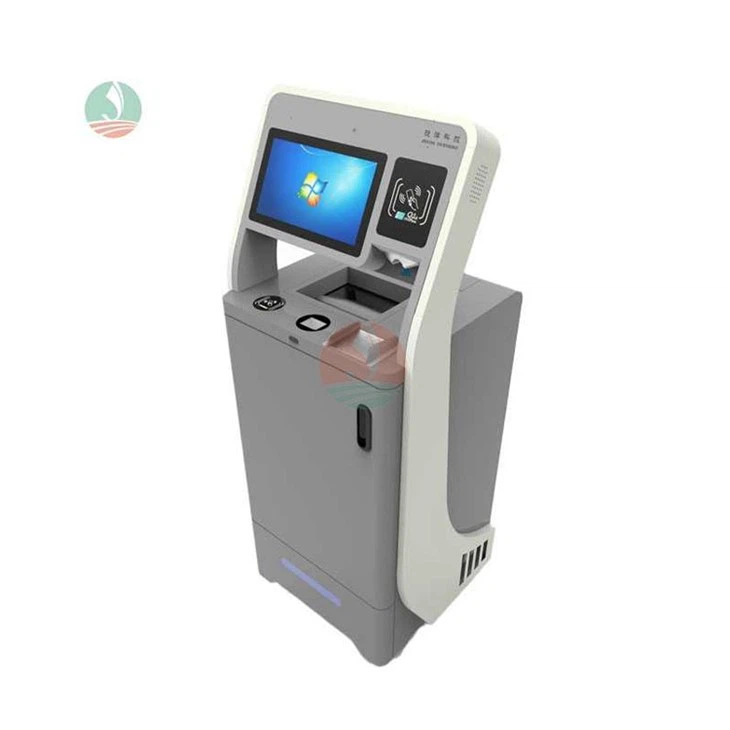

At night, outdoor lighting is usually provided by streetlights or building lights. These lights can be uneven, creating shadows around the kiosk. To ensure that the kiosk remains accessible at night, we've added additional lighting features. Some of our kiosks have built - in LED lights around the screen and the payment area, which helps to illuminate the area and make it easier for users to interact with the machine.
Testing and Optimization
It's not all theory, though. We've conducted extensive testing of our Self Help Kiosk in various lighting conditions. We've set up test environments that simulate different indoor and outdoor lighting scenarios, from the brightest mid - day sun to the dimmest late - night alley.
During these tests, we've collected data on user interaction, screen visibility, and overall performance. Based on this data, we've continuously optimized the design and functionality of our kiosks. For example, we've adjusted the angle of the screen to minimize glare in different lighting situations, and we've fine - tuned the automatic brightness adjustment algorithm to provide a more seamless user experience.
Conclusion
So, do Check Out Kiosks work in different lighting conditions? The answer is yes, but it requires careful design and engineering. Our team has worked hard to ensure that our kiosks can perform well in a wide range of lighting scenarios, from the brightest indoor stores to the darkest outdoor corners.
If you're in the market for a reliable Check Out Kiosk that can handle different lighting conditions, we'd love to talk to you. Whether you're running a small local shop or a large chain of stores, our kiosks can be customized to meet your specific needs. Contact us to start a conversation about how our kiosks can enhance your business operations and provide a better experience for your customers.
References
- Industry research on kiosk usability in different lighting
- In - house testing reports on kiosk performance under various lighting conditions