


Custom Kiosk
Zhejiang Jieyang:Your Professional Custom Kiosk Supplier!
Zhejiang JieYang Intelligent Equipment CO.,LTD was established in 1995, is located in Wenzhou, China, is a large-scale professional supplier of sheet metal processing services that integrates research and development, manufacturing, sales, and service. It focuses on sheet metal manufacturing and continues to provide high-end products and services to technology enterprises in industries such as machinery, electronics, electrical, and intelligent equipment in the industrial and civilian fields.

Our Advantages
Integrated Industrial System
The company has a high-quality R&D, design, production and manufacturing team and large-scale professional equipment, has established a technology innovation system, quality assurance system and digital production and operation system.
Extensive Business
Our self-service terminal equipment ranges form finance, medical, power industry, communications industry, governmental agencies, advertising media, catering retail industry and so on.
One-Stop Solution&Service
Our company provides customers with R&D, design, CNC processing, welding, spraying Integrated solutions and one-stop services such as assembly, professional customization, mold forming, and specialized machine manufacturing.
Professional Technical Equipment
We have introduced a large number of machining equipment, AMADA CNC punch, RGM CNC cutting machine and laser processing center, CNC bending machine etc.To ensure the manufacture dimension error less than 0.1mm, mechanical working accuracy is in first-class in our industry.


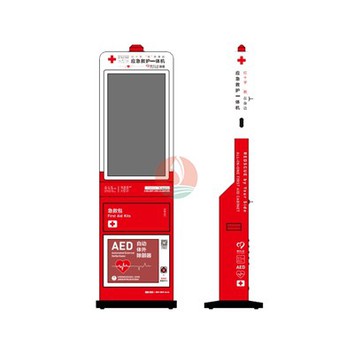

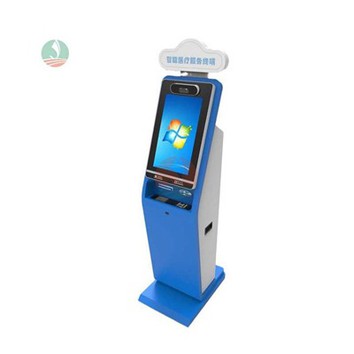


Custom kiosks by their name are designed for a specific purpose to fit a certain space and/or look a certain way. Custom kiosks have to totally complementary to the application or situation they are to be used in to be worth the additional cost and effort on creating them.
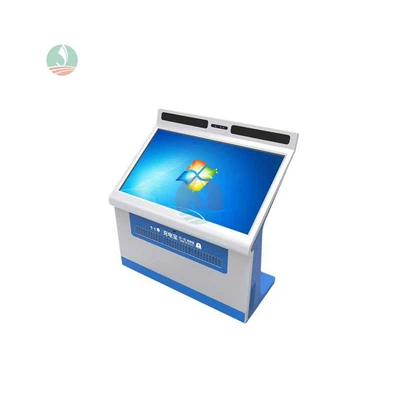
Procedures for Making a Custom Kiosk
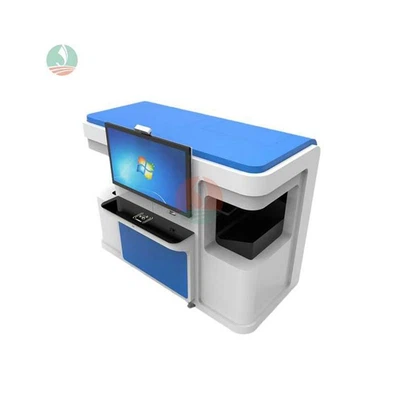
Collect all components from our suppliers.
Make layout drawing according to real components or 3d and get approval for
layout.
Start production for kiosk enclosure per below steps:
- Cut the metal sheets per the production drawing by cnc or laser cutting machine.
- Bend the metal sheets and riveting rivets per the production drawing.
- Weld the small pieces together to form the enclosure per the production drawing.
- Sand the sharp angles and make all even.
- Clean the enclosure surface, like oil, dust.
- Paint the kiosk enclosure with required colors.
- Assembly components and aging test.
Working Principle of Custom Kiosk
The functioning of kiosks is based on three types of software.
Operating System
Just like PCs, kiosks can’t work without an operating system that provides essential tools and drivers needed to identify hardware peripherals and run applications.
In most cases, kiosks use traditional OSs like Microsoft Windows, Android, iOS, Linux, etc. However, there are operating systems designed purely for kiosks, such as FireCast OS.
Application Software
A kiosk’s application is a software program responsible for the look and feel, usability and functional logic of a device. You can create an attractive user interface with graphics, animations, or video that will be displayed on the screen of your kiosk. Customers interact with the application via the keyboard or touch screen.
As a rule, applications are written from scratch to be tailored to specific business needs. But available apps can also be modified and installed in kiosks.
Management Software
This type of software is responsible for setting up, updates, security and content management. What’s important is that all these activities can be done remotely, which saves time and money. Technical specialists don’t have to visit each unit to fix an issue, update an app or download new information.
On-site technical support is used only for the most challenging cases. Thus, downtime of machines is also reduced.
Interactive Touchscreen Kiosk
An interactive touchscreen kiosk is not only the most common but also a versatile type of kiosk. These devices consist of a large touchscreen display allowing users to make selections, interact with content, perform transactions, or browse information. These kiosks are extensively used in the hospitality, retail, entertainment, and healthcare industries.
Self-Service Payment Kiosks
A self-service payment kiosk is a type of self-service kiosk that is able to receive a bill payment in exchange for a service or good rendered. An example of this is buying a ticket at a bus stop, where money is inserted, and a bus ticket is printed for you without having you interact with a bus station employee.
Informational Kiosks
An informational kiosk, as the name suggests, is a self service terminal, which provides the user with information. Not only is this information clear, but also digestible for your users. The information being displayed is detailed enough to avoid an advisor, albeit it should be easy to understand. Some of the well-known places where informational kiosks can be found include airports, tourist destinations, museums, and other public places. This device provides details about maps, schedules, locations, and other useful information. They assist users in navigating and exploring their surroundings well.
Wayfinding Kiosks
Wayfinding kiosks offer an easy and interactive way to help people navigate complex buildings or campuses. Often, these directory kiosks provide visitors with maps, listings, and other search functions that aid in finding a desired location.
Digital Signage Kiosks
A digital signage kiosk is a freestanding unit that delivers digital content at eye level to attract passersby. While other digital displays consist of only the display, digital kiosks also include software, an integrated media player, and a secure pay function.
Features of Custom Kiosk


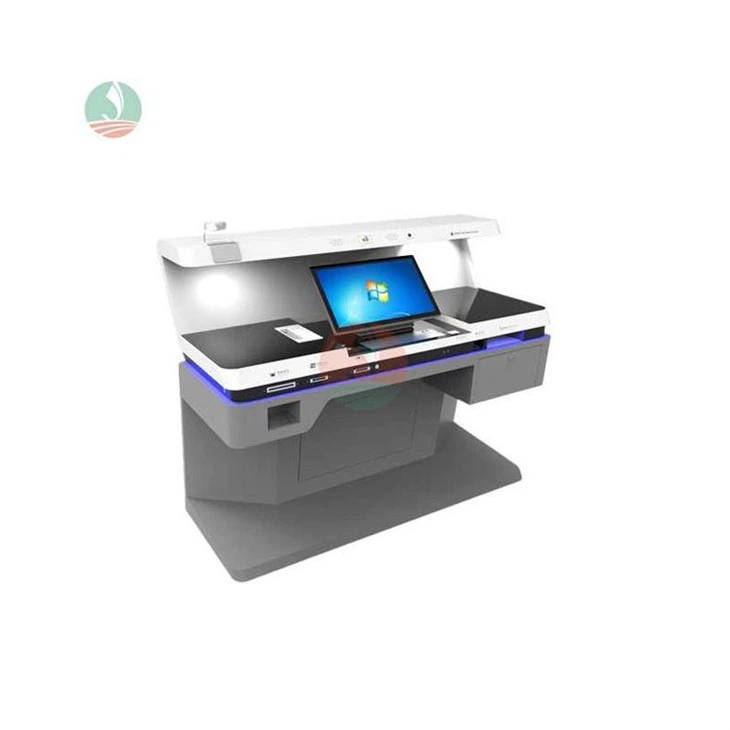

User-Friendly Interface
Kiosks typically feature a user-friendly interface with a touch screen, allowing users to interact with the system intuitively. Some may also include physical input methods like keyboards, keypads, or biometric scanners.
Self-Service Functionality
The primary characteristic of kiosks is their self-service nature. Users can independently navigate through the system, access information, place orders, or complete transactions without the need for direct assistance from staff.
Customization Options
Kiosks often provide customizable options to cater to individual preferences. In the context of food ordering, for example, users can customize their orders by selecting specific ingredients or modifiers directly through the kiosk interface.
Integration with Payment Systems
Many kiosks support secure payment transactions. Users can make purchases, pay bills, or complete transactions directly through the kiosk, often supporting various payment methods, including credit/debit cards, cash, or mobile payment options.
Multimedia Capabilities
Kiosks often include multimedia features such as high-resolution touch screens, audio output, and sometimes video capabilities. This allows for a more engaging and informative user experience.
Connectivity and Integration
Kiosks are designed to seamlessly integrate with other systems, such as point-of-sale (POS) systems, inventory management, or customer relationship management (CRM) systems. This connectivity enables real-time data exchange and efficient operation.
Remote Monitoring and Management
Kiosks are equipped with remote monitoring and management capabilities, allowing administrators or system operators to monitor the kiosks' performance, update content, and troubleshoot issues remotely.
Accessibility Features
To ensure inclusivity, kiosks often include accessibility features such as adjustable screen height, voice navigation, and options for users with visual or motor impairments.
Security Measures
Security is a critical aspect of kiosk design. They often include features like secure payment processing, encryption, and physical security measures to protect against tampering or unauthorized access.
Durability and Robustness
Kiosks are built to withstand various environmental conditions and heavy usage. They are often designed with durable materials, protective casings, and robust components to ensure longevity in high-traffic areas.
Scalability
Kiosks are scalable, meaning they can be deployed in single or multiple locations depending on the requirements of the business. This scalability is particularly important for businesses with multiple outlets or a widespread presence.
Industry-Specific Applications
Kiosks are adapted to suit the specific needs of different industries. For instance, in retail, they may serve as self-checkout stations, while in healthcare, they could be used for patient check-ins or information retrieval.
Convenience
Provide customers with the convenience of completing tasks on their own schedule and at their own pace, without the need for human interaction. They can be accessed 24/7, allowing customers to use them even outside regular business hours.
Efficiency
Streamline processes and operations, reducing wait times and increasing efficiency for both customers and businesses. Customers can quickly complete transactions or access information without waiting in line or relying on staff availability.
Customization
Able to display specific information and options based on a customer's preferences, making the experience more personalized. They can provide targeted recommendations or tailored content based on customer preferences or past behavior. The exterior of kiosks can also be customized to reflect a brand or company's identity using vinyl wraps and powder coating or painting.
Cost Savings for Businesses
Custom kiosk reduces the need to hire additional staff to carry out repetitive tasks, thus reducing labor costs for businesses. By automating tasks previously handled by employees, businesses can allocate their workforce to more value-added activities. It also helps streamline business operations by making processes more efficient and reducing bottlenecks.
Increased Customer Engagement
Provide an interactive and engaging experience for customers. They can offer multimedia content, interactive maps, product catalogs, and promotions, enhancing customer engagement and satisfaction.
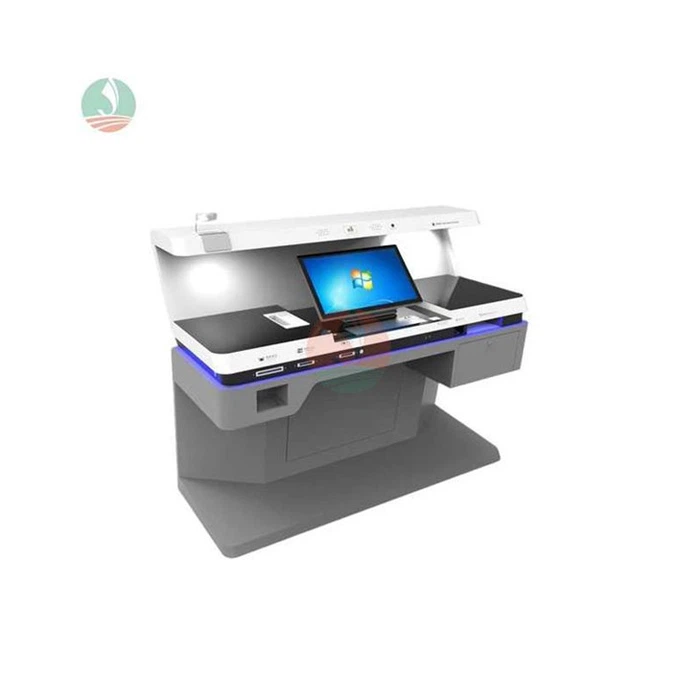
Healthcare
Self-check-in kiosks at doctors’ offices; prescription pickup and payment kiosks at pharmacies.
Restaurants
Self-ordering kiosks or interactive seating kiosks for front-of-house staff.
Retail
Point-of-sale systems or self-checkout kiosks.
Transportation
Check-in and ticketing kiosks at airports or train stations.
Parking
Payment kiosks for parking structures.
Directories
Large touch screen digital signage kiosks for store directories and advertising in shopping centers.
Touchscreen
A touchscreen (or touch screen) is a type of display that can detect touch input from a user. It is a display device that allows users to interact with a computer using their finger or stylus.
PinPad
A PIN pad or PIN entry device is an electronic device used in a debit, credit or smart card-based transaction to accept and encrypt the cardholder's personal identification number (PIN).
Passbook Printers
A passbook printer automates the deposit and withdrawal processes and gives users more independence in their bank transactions. There are different types of passbook printers, including the dot matrix printer, which uses a fixed number of pins and wires to create dox matrix images.
Kiosk Thermal Printer
A kiosk printer is a specialized type of printer designed for use in self-service kiosks and interactive terminals. It is generally open-frame and internally mounted along with roll of paper, which can vary in size.
Card Reader
A card reader is a device that allows you to read information from various types of cards, such as credit cards, debit cards, identification (ID) cards, and memory cards. It can be connected to a computer or a mobile device to transfer data or perform specific functions.
Multi Document Scanner
Multi document scanner is to capture multiple pages at once, and then process them into a single digital image or document.
Goals
The purpose and the ultimate goal of the kiosk play a key role in determining the type of kiosk you need. For example, if the goal is to make navigation easier for visitors, then you need to deploy wayfinding kiosks. However, if the goal is to minimize human interaction while enabling customers to purchase, then vending machines may be the right choice.
Location
It is crucial to consider the location of the kiosks before selecting a kiosk; develop an understanding of the space and the issues faced by the people in that location. For example, if you are looking for kiosks at the entrance of the service center, you can either deploy ticket dispensers or wayfinding kiosks, depending upon what the pain point of the visitors in that location is.
Security
Kiosks can store sensitive data, including customer information and financial transactions, making them a potential target for hackers and other cybercriminals. This makes customers’ security a primary concern. Therefore, it is crucial for businesses to select solution providers that focus on high-security standards. Wavetec kiosks, for instance, are equipped with advanced security features such as encrypted data transmission, password-protected access, and remote monitoring capabilities.
Maintenance and Support
Like any other hardware and software solution, digital kiosks are also highly technical and complex. This makes it essential for the solution provider to also offer good after-sales maintenance and support services, enabling businesses to maximize the potential utility of the digital kiosks.
Integration with Existing Systems
Kiosks such as ticket dispensers or cash deposit machine need to be integrated with other existing systems to ensure that the data is well-managed and organized. A kiosk that integrates seamlessly with your existing systems and software can save you time, effort, and money. If the kiosk is not integrated with the rest of the system, it will essentially be useless – it will fail to streamline processes and organize long queues. Therefore, businesses must consider how well-integrated the kiosk is. Ideally, the kiosk must also be integrated with a dashboard that gathers and reports real-time data.
Maintenance Tips for Custom Kiosk
Use The Correct Type Of Cleaning Cloth
The right kind of cloth to clean your kiosk will ensure no damage to the screen. A lint-free microfiber cloth is the best option for you to clean the kiosk screen.
The Correct Type Of Cleaning Liquid
The best way to clean the kiosk is by dampening the lint-free cloth with the cleaning liquid (IPA Solutions) and wiping the screen. Once the screen dries up, it is good to use the correct disinfecting cleaner and a different lint-free cloth to clean the screen properly. It is vital to keep harsh chemicals like thinners, solvents, or any other strong liquid away from use as it could cause damage to the screen.
Clean With Care
Even though cleaning a self-service kiosk looks very easy, it is vital to do it very carefully. While cleaning, it is crucial not to get water or cleaning liquid into the machinery as it could cause damage to the screen or kiosk. Also, kiosk maintenance should be done as much as possible to reduce the chance of spreading illness-causing germs.
Case
This security self-service terminal is a joint development between us and African customers, specifically designed for home security testing of government agency visitors. According to the customer's request, we customized a 21.5-inch screen with built-in WiFi, and the computer configuration follows African usage standards. After receiving the goods, the customer installed their self-developed software system and successfully deployed it in the local government building. For more questions about customized self-service terminals for customers, please contact us.

Ultimate FAQ Guide to Custom Kiosk
Q: What is a kiosk ?
Q: What is the functionality of self-service kiosk?
Q: What are the accessibility of kiosks?
Q: Where are interactive kiosks used?
Q: What are the advantages of interactive kiosk?
Q: What are the benefits of kiosk in retail?
Q: What is the purpose of a kiosk machine?
Q: How is a kiosk made?
Q: How to use kiosk machines?
Q: What is the benefit for customers when using the kiosks?
Q: How do information kiosks work?
Q: What are kiosks made of?
Q: Are self-service payment kiosks safe to use?
Q: Can kiosks be used only by large businesses or organizations?
Q: Can a kiosk be customized to complement a company’s branding?
Q: What operating system do kiosks use?
Q: How does kiosk software work?
Q: Can businesses use virtual reality kiosks other than entertainment?
Q: What is the difference between a kiosk and a POS system?
Q: What is the difference between a vending machine and a kiosk?
As one of the leading custom kiosk manufacturers and suppliers in China, we warmly welcome you to buy high quality custom kiosk at competitive price from our factory. Good service and punctual delivery are available.
Computerized Kiosk, Interactive Kiosk, Computer Kiosk