

In the dynamic landscape of modern technology, video kiosks have emerged as powerful tools for businesses across various sectors. As a leading Video Kiosk supplier, I understand the critical importance of connectivity options for these devices. A well-connected video kiosk can enhance user experience, streamline operations, and provide real-time data for informed decision-making. In this blog, we will explore the different connectivity options available for video kiosks, their advantages, and considerations for choosing the right one.
Wired Connectivity
Wired connectivity has long been the go-to option for reliable and stable network connections. For video kiosks, Ethernet is the most common wired connection method. Ethernet offers high-speed data transfer rates, low latency, and a secure connection. This makes it ideal for kiosks that require large amounts of data to be transferred quickly, such as those used for video streaming, digital signage, or interactive applications.
One of the main advantages of Ethernet connectivity is its reliability. Unlike wireless connections, which can be affected by interference or signal strength, Ethernet cables provide a consistent and stable connection. This is especially important for video kiosks that need to operate continuously without interruptions. For example, in a shopping mall, a video kiosk that provides product information and promotions needs to be accessible at all times. An Ethernet connection ensures that the kiosk can handle multiple user requests simultaneously without any lag or downtime.
Another benefit of Ethernet is its security. Wired connections are generally more secure than wireless connections because they are less vulnerable to hacking and eavesdropping. This is crucial for video kiosks that handle sensitive customer information, such as in a Self Service Banking Kiosk. Banks and financial institutions rely on the security of Ethernet connections to protect customer data and transactions.
However, there are some limitations to wired connectivity. The installation of Ethernet cables can be expensive and time-consuming, especially in large or existing buildings. Additionally, the location of the kiosk is restricted to areas where Ethernet ports are available. This can be a challenge for businesses that need to move or reposition their kiosks frequently.
Wireless Connectivity
Wireless connectivity offers flexibility and convenience, making it a popular choice for video kiosks. There are several wireless options available, including Wi-Fi, Bluetooth, and cellular networks.
Wi-Fi
Wi-Fi is the most widely used wireless technology for video kiosks. It allows kiosks to connect to a local network without the need for cables. Wi-Fi offers high-speed data transfer rates and can support multiple devices simultaneously. This makes it suitable for kiosks that are located in areas with a high density of users, such as airports, hotels, and convention centers.
One of the main advantages of Wi-Fi is its ease of installation. Setting up a Wi-Fi connection is relatively simple and can be done quickly. This makes it a cost-effective option for businesses that need to deploy multiple kiosks in a short period of time. Additionally, Wi-Fi allows kiosks to be easily moved or repositioned without the need for rewiring.
However, Wi-Fi connections can be affected by interference from other devices and environmental factors. Signal strength can vary depending on the distance from the access point and the number of users on the network. This can result in slower data transfer rates and intermittent connectivity. To mitigate these issues, it is important to choose a high-quality Wi-Fi router and ensure that it is properly configured.
Bluetooth
Bluetooth is a short-range wireless technology that is commonly used for connecting devices such as smartphones, tablets, and headphones. While Bluetooth is not typically used for high-speed data transfer, it can be useful for video kiosks that need to interact with nearby devices. For example, a video kiosk in a museum could use Bluetooth to send audio guides or additional information to visitors' smartphones.
The main advantage of Bluetooth is its low power consumption. This makes it ideal for battery-powered kiosks or devices that need to operate for long periods of time without recharging. Additionally, Bluetooth is easy to set up and does not require any additional infrastructure.
However, Bluetooth has a limited range and data transfer rate. It is typically only suitable for short-range communication and small amounts of data. This makes it less suitable for video kiosks that require high-speed data transfer or long-range connectivity.
Cellular Networks
Cellular networks, such as 4G and 5G, offer high-speed wireless connectivity over a wide area. This makes them ideal for video kiosks that need to be deployed in remote or outdoor locations where Wi-Fi is not available. Cellular networks provide a reliable and secure connection, allowing kiosks to access the internet and transmit data in real-time.
One of the main advantages of cellular networks is their wide coverage. They can be used in areas where wired or Wi-Fi connections are not feasible, such as in rural areas or on construction sites. Additionally, cellular networks offer high-speed data transfer rates, which are suitable for video streaming and other bandwidth-intensive applications.
However, cellular connectivity can be expensive, especially for businesses that need to use a large amount of data. Additionally, the quality of the connection can be affected by factors such as signal strength and network congestion. This can result in slower data transfer rates and intermittent connectivity.
Hybrid Connectivity
In some cases, a combination of wired and wireless connectivity may be the best solution for video kiosks. Hybrid connectivity allows businesses to take advantage of the benefits of both wired and wireless connections while minimizing their limitations.
For example, a video kiosk could use Ethernet for its primary connection to ensure a stable and secure network. At the same time, it could also have a Wi-Fi or cellular backup connection in case the Ethernet connection fails. This provides redundancy and ensures that the kiosk can continue to operate even in the event of a network outage.
Hybrid connectivity also allows businesses to optimize their network usage based on the specific requirements of the kiosk. For example, a kiosk that is located in an area with a strong Wi-Fi signal could use Wi-Fi for non-critical tasks, such as software updates or content synchronization. Meanwhile, it could use Ethernet for high-speed data transfer and real-time applications.

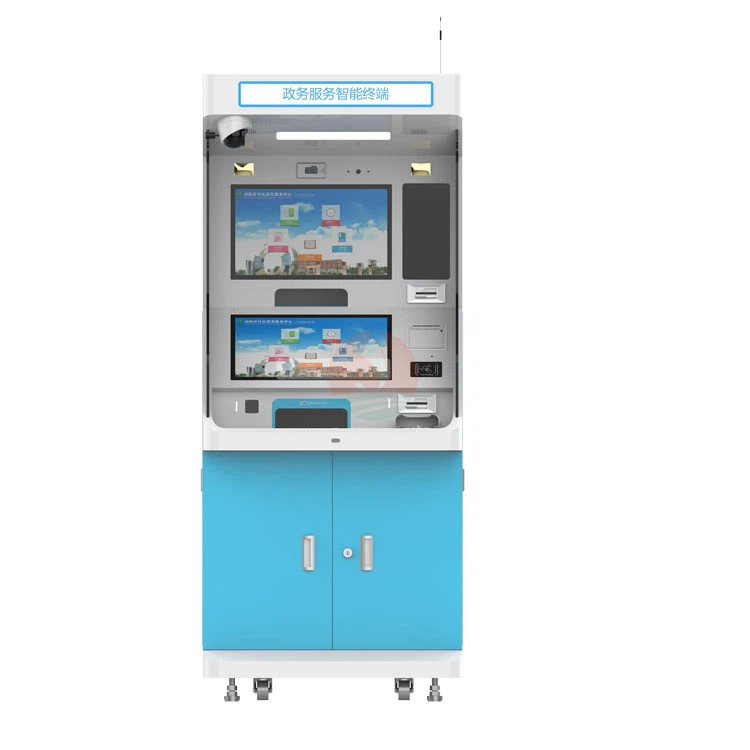
Considerations for Choosing the Right Connectivity Option
When choosing the right connectivity option for a video kiosk, there are several factors to consider:
- Location: The location of the kiosk is one of the most important factors to consider. If the kiosk is located in an area with a reliable wired network, Ethernet may be the best option. If the kiosk needs to be deployed in a remote or outdoor location, cellular or Wi-Fi may be more suitable.
- Bandwidth Requirements: The bandwidth requirements of the kiosk depend on the type of applications and content it will be running. Kiosks that require high-speed data transfer, such as video streaming or interactive applications, will need a connection with a high bandwidth.
- Security: Security is a critical consideration for video kiosks, especially those that handle sensitive customer information. Wired connections are generally more secure than wireless connections, but wireless connections can also be secured using encryption and other security measures.
- Cost: The cost of connectivity is another important factor to consider. Wired connections can be expensive to install, especially in large or existing buildings. Wireless connections may be more cost-effective, but they may also incur additional data charges.
- Scalability: If the business plans to deploy multiple video kiosks in the future, scalability is an important consideration. The chosen connectivity option should be able to support the growth of the kiosk network without significant additional costs or infrastructure changes.
Conclusion
As a Video Kiosk supplier, I understand that choosing the right connectivity option is crucial for the success of your video kiosk project. Whether you choose wired, wireless, or hybrid connectivity, it is important to consider the specific requirements of your business and the kiosk's location, bandwidth needs, security, cost, and scalability.
At Video Kiosk, we offer a wide range of video kiosks with different connectivity options to meet your specific needs. Our team of experts can help you choose the right connectivity solution for your project and ensure that your kiosks are installed and configured correctly.
If you are interested in learning more about our video kiosks or would like to discuss your connectivity options, please do not hesitate to contact us. We look forward to working with you to create a seamless and engaging user experience for your customers.
References
- Cisco. (2023). Ethernet Technology Overview.
- Wi-Fi Alliance. (2023). Wi-Fi Technology Overview.
- Bluetooth SIG. (2023). Bluetooth Technology Overview.
- GSMA. (2023). Mobile Network Technology Overview.