

When it comes to getting a custom kiosk, cost - saving is often a top concern for businesses. As a custom kiosk supplier, I've worked with numerous clients to help them achieve their goals while keeping costs in check. In this blog, I'll share some effective cost - saving strategies that can be employed during the process of getting a custom kiosk.
1. Define Clear Requirements Early
One of the most crucial steps in saving costs is to have a well - defined set of requirements from the start. Before approaching a custom kiosk supplier, businesses should conduct a thorough analysis of their needs. This includes determining the purpose of the kiosk, such as whether it's for information dissemination, ticketing, or sales. For example, if it's a ticketing kiosk, the business needs to know the types of tickets it will sell, the payment methods it should support, and the expected user traffic.

By having clear requirements, the supplier can design a kiosk that precisely meets the needs without over - engineering. Over - engineering can lead to unnecessary features and components, which drive up costs. For instance, if a business only needs a basic information kiosk with a touchscreen and a simple software interface, adding advanced multimedia capabilities or high - end processors would be an unnecessary expense.
2. Choose the Right Hardware
Selecting the appropriate hardware is a significant factor in cost - saving. When it comes to Kiosk Hardware, there are various options available in the market, each with different price points.
-
Processor Selection: For kiosks that don't require high - end computing power, such as simple information kiosks, a mid - range processor can be sufficient. High - end processors are more expensive and are typically needed for kiosks that handle complex tasks like real - time video processing or running resource - intensive software.
-
Display Options: The display is one of the most visible and costly components of a kiosk. Businesses can choose between different types of displays, such as LCD, LED, or touchscreens. For non - interactive kiosks, a standard LCD display may be adequate, while interactive kiosks require touchscreens. However, not all touchscreens are created equal. Resistive touchscreens are generally less expensive than capacitive touchscreens but may have lower durability and touch sensitivity.
-
Storage and Memory: Determine the actual storage and memory requirements based on the kiosk's functionality. For example, if the kiosk only needs to store a small amount of static content, a lower - capacity hard drive or solid - state drive (SSD) can be used. Similarly, for kiosks that don't run memory - intensive applications, less RAM can be installed.
3. Opt for Standard Components
While custom components can offer unique features, they often come at a higher cost. Whenever possible, try to use standard components in the kiosk design. Standard components are more readily available in the market, which means they are usually cheaper and easier to source.
For example, instead of custom - made enclosures, using standard kiosk enclosures that can be modified to fit the specific requirements can save a significant amount of money. Many suppliers offer a range of standard enclosures in different sizes and shapes that can be customized with branding elements, such as logos and colors.
In addition, standard hardware components like motherboards, power supplies, and network cards are often more cost - effective than custom - designed ones. They also benefit from economies of scale, as they are produced in larger quantities, which drives down the unit cost.

4. Software Optimization
The software running on the kiosk can also have an impact on costs. Here are some software - related cost - saving strategies:
- Open - Source Software: Consider using open - source software whenever possible. Open - source software is free to use and can be customized to meet the specific needs of the kiosk. For example, there are many open - source operating systems, such as Linux, that can be used on kiosks. These operating systems are stable, secure, and can be configured to run with minimal system resources.
- In - House Development vs. Outsourcing: Evaluate whether it's more cost - effective to develop the kiosk software in - house or outsource it to a software development company. In - house development may be more cost - effective if the business has the necessary technical expertise and resources. However, if the project requires specialized skills or if the development time is limited, outsourcing may be a better option. When outsourcing, get multiple quotes from different software development firms to compare prices and services.
- Software Maintenance and Updates: Plan for software maintenance and updates in advance. Regular software updates can help keep the kiosk secure and functional, but they can also incur costs. Look for software solutions that offer affordable maintenance plans or that are easy to update in - house.
5. Consider Long - Term Costs
When getting a custom kiosk, it's important to consider the long - term costs in addition to the upfront costs. This includes factors such as energy consumption, maintenance, and repair.
- Energy - Efficient Design: Choose energy - efficient components and design the kiosk in a way that minimizes energy consumption. For example, using LED displays instead of traditional LCD displays can significantly reduce energy costs over time. Additionally, power - management features can be implemented in the kiosk software to automatically turn off the kiosk during off - peak hours.
- Maintenance and Repair: Opt for kiosk designs that are easy to maintain and repair. This includes using modular components that can be easily replaced in case of a failure. Also, choose a supplier that offers a comprehensive maintenance and support package. A good maintenance package can help prevent costly downtime and ensure that the kiosk operates smoothly over its lifespan.
6. Volume Discounts
If your business needs multiple kiosks, take advantage of volume discounts. Many custom kiosk suppliers offer discounts when ordering a larger quantity of kiosks. This is because suppliers can benefit from economies of scale in production, such as bulk purchasing of materials and more efficient manufacturing processes.
Before placing a large order, make sure to negotiate with the supplier to get the best possible price. Also, consider the long - term needs of your business. If you anticipate needing additional kiosks in the future, it may be worth ordering a larger quantity upfront to take advantage of the volume discount.
7. Reuse and Refurbish
If you already have existing kiosks, consider reusing or refurbishing them instead of buying new ones. Reusing or refurbishing can be a cost - effective way to update the functionality of your kiosks.
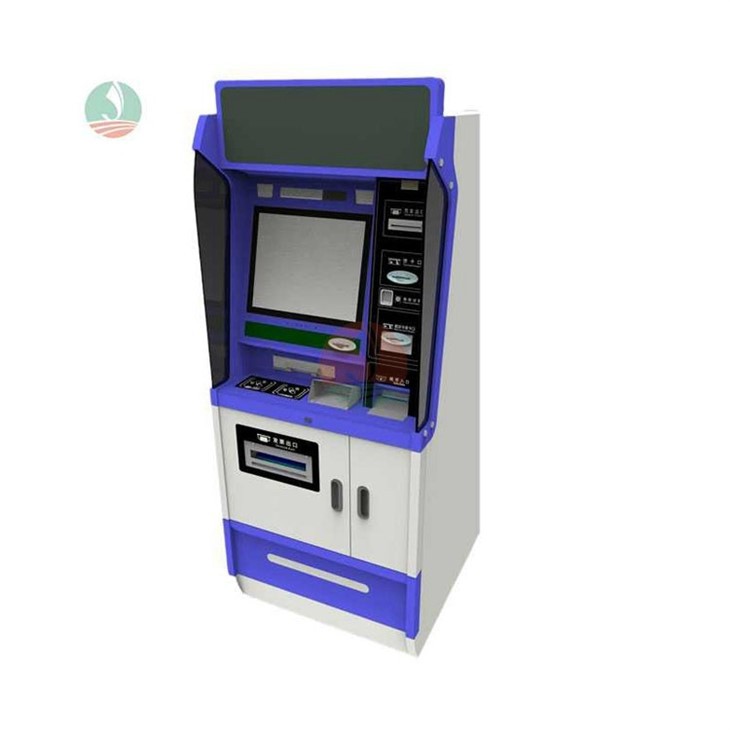
For example, you can upgrade the hardware components of an existing kiosk, such as the processor, memory, or storage. You can also update the software to add new features or improve the user experience. Additionally, the kiosk enclosure can be refurbished with new branding elements to give it a fresh look.
Conclusion
Getting a custom kiosk doesn't have to break the bank. By following these cost - saving strategies, businesses can get a high - quality custom kiosk that meets their needs while staying within budget. As a custom kiosk supplier, I'm committed to helping businesses find the most cost - effective solutions for their kiosk requirements.
If you're interested in learning more about our Digital Kiosk or Electronic Kiosks offerings and want to discuss your specific needs, please don't hesitate to reach out. We're here to assist you in every step of the process, from design to implementation. Let's work together to create a custom kiosk that delivers value for your business.

References
- "Kiosk Design and Development: A Comprehensive Guide" by John Doe, 2022
- "Cost - Effective Strategies for Digital Kiosk Deployment" by Jane Smith, 2023
- Industry reports from leading market research firms on kiosk technology and trends.