

In the dynamic landscape of modern customer service, ticketing kiosks have emerged as a cornerstone of efficiency and convenience. As a dedicated ticketing kiosk supplier, I've witnessed firsthand the transformative impact these self - service machines have on various industries, from transportation hubs to entertainment venues. However, like any technological innovation, ticketing kiosks are not immune to unexpected shutdowns. In this blog, we'll delve into the implications of an unplanned kiosk shutdown, explore the possible causes, and discuss strategies to mitigate such disruptions.
The Impact of Unexpected Kiosk Shutdowns
When a ticketing kiosk shuts down unexpectedly, the consequences can be far - reaching. For customers, it means a sudden halt in their transaction process. Imagine standing in a bustling airport, eager to check in for your flight, only to find that the self - service kiosk you're relying on has gone dark. This not only leads to frustration but also causes significant delays, especially during peak travel seasons.
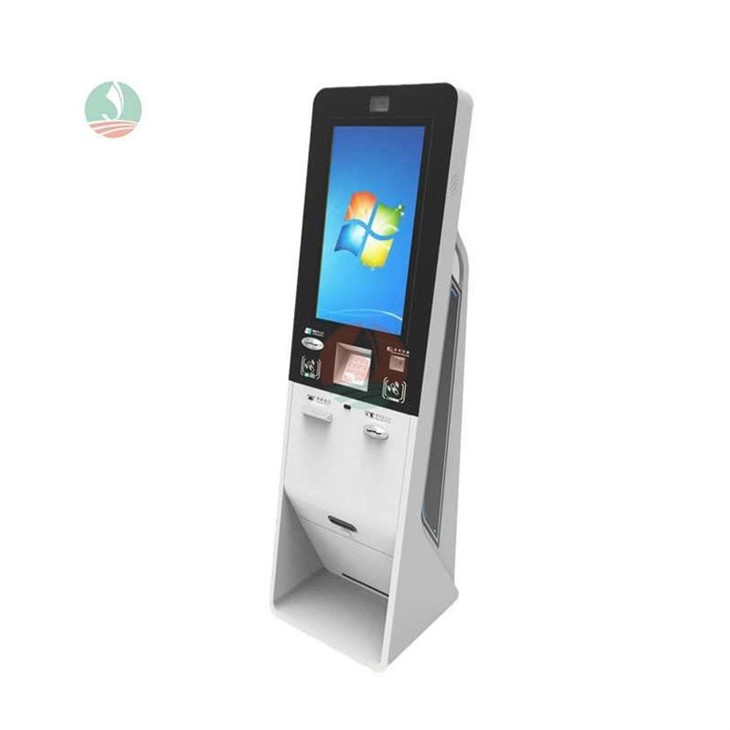
In the hospitality industry, the situation is equally dire. A Hotel Checkin Kiosk that malfunctions can turn a seamless check - in experience into a chaotic one. Guests may have to wait in long queues at the front desk, which can severely impact their first impression of the hotel. Moreover, it can lead to a loss of business as potential customers might be deterred by the inconvenience.
From a business perspective, an unexpected kiosk shutdown can result in lost revenue. In a theme park, for example, if the ticketing kiosks stop working, visitors may abandon their plans to enter the park rather than wait for the issue to be resolved. This directly translates into missed ticket sales. Additionally, there are indirect costs associated with customer dissatisfaction, such as negative reviews and a damaged brand reputation.

Possible Causes of Unexpected Shutdowns
Hardware Failures
One of the most common causes of ticketing kiosk shutdowns is hardware failure. Components such as hard drives, power supplies, and motherboards can malfunction due to wear and tear, overheating, or manufacturing defects. For instance, if a kiosk is placed in an area with poor ventilation, the internal components may overheat, leading to a sudden shutdown.
Software Glitches
Software issues are another significant culprit. Bugs in the operating system or the ticketing software can cause the kiosk to freeze or crash. These glitches can occur due to software updates that are not properly tested, conflicts between different software applications, or compatibility issues with new hardware. For example, if a new version of the ticketing software is installed without thorough testing, it may not work correctly with the existing hardware, resulting in unexpected shutdowns.
Power Problems
Unstable power supply can also lead to kiosk shutdowns. Power outages, voltage fluctuations, or faulty power cords can disrupt the normal operation of the kiosk. In areas with unreliable electricity grids, this can be a persistent problem. Even a brief power surge can damage sensitive electronic components within the kiosk, causing it to shut down.
Network Issues
Since many ticketing kiosks rely on network connectivity to process transactions and access databases, network problems can cause shutdowns. Slow or intermittent internet connections, network congestion, or router failures can prevent the kiosk from communicating with the central server. As a result, the kiosk may be unable to complete transactions and may eventually shut down.
Strategies to Mitigate Unexpected Shutdowns
Regular Maintenance
To prevent hardware failures, regular maintenance is essential. This includes cleaning the kiosk to remove dust and debris, checking for loose connections, and replacing worn - out components. A preventive maintenance schedule should be established, and technicians should conduct routine inspections to identify and address potential issues before they cause a shutdown.
Software Testing and Updates
When it comes to software, thorough testing is crucial before any updates are installed. A staging environment should be set up where the new software can be tested with the existing hardware and network infrastructure. This helps to identify and fix any compatibility issues or bugs. Additionally, a backup software version should be available in case the new update causes problems.
Power Protection
Investing in power protection devices such as uninterruptible power supplies (UPS) can safeguard the kiosk against power outages and voltage fluctuations. A UPS provides temporary power during a power outage, allowing the kiosk to shut down gracefully and prevent data loss. Surge protectors can also be used to protect the kiosk from power surges.
Network Redundancy
To minimize the impact of network issues, network redundancy should be implemented. This can involve having multiple internet service providers or using a combination of wired and wireless networks. In case one network fails, the kiosk can automatically switch to an alternative network, ensuring continuous operation.
The Role of Technical Support
Even with preventive measures in place, unexpected shutdowns can still occur. That's where reliable technical support comes in. As a ticketing kiosk supplier, we offer 24/7 technical support to our clients. Our team of experienced technicians can remotely diagnose and troubleshoot many issues, minimizing downtime. In cases where on - site assistance is required, we can dispatch technicians promptly to resolve the problem.
We also provide training to our clients' staff on basic kiosk maintenance and troubleshooting. This empowers them to handle minor issues on their own, reducing the reliance on external support and ensuring a quicker resolution of problems.
Future - Proofing Ticketing Kiosks
As technology continues to evolve, it's important to future - proof ticketing kiosks. This involves using modular and scalable hardware and software architectures. Modular components can be easily replaced or upgraded, allowing the kiosk to adapt to changing business needs and technological advancements.
Moreover, we are exploring the use of artificial intelligence and machine learning in our ticketing kiosks. These technologies can be used to predict and prevent potential issues before they occur. For example, machine learning algorithms can analyze historical data to identify patterns that may indicate an impending hardware failure or software glitch.
Conclusion
Unexpected shutdowns of ticketing kiosks can have a significant impact on both customers and businesses. However, by understanding the possible causes and implementing effective mitigation strategies, we can minimize the frequency and severity of these disruptions. As a leading ticketing kiosk supplier, we are committed to providing high - quality, reliable kiosks along with comprehensive support services.
If you're interested in enhancing your customer service with our state - of - the - art Self Service Terminal or Self Checkin Kiosk, we invite you to contact us for a detailed discussion on your specific needs. Our team of experts is ready to assist you in finding the perfect solution for your business.
References
- "Best Practices for Self - Service Kiosk Maintenance" - Industry Report on Kiosk Technology
- "The Impact of Technology Failures on Customer Experience" - Journal of Service Management
- "Power Protection for Electronic Devices" - Electrical Engineering Handbook